
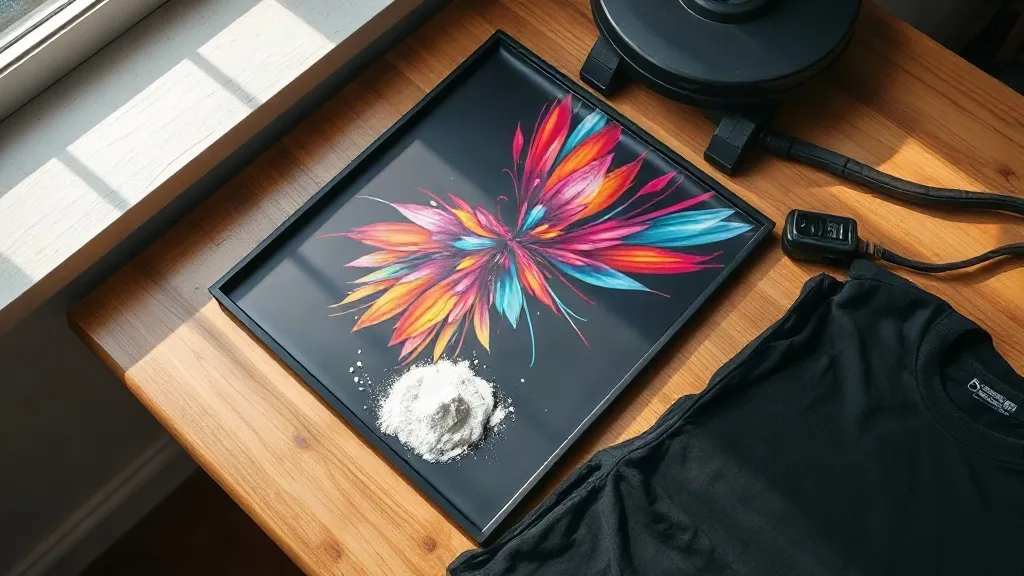
You have a design on your screen, a blank shirt on your table, and about an hour before you need to show up somewhere with a finished product. Screen printing needs screens, vinyl needs weeding, and sublimation only works on light polyester. This is the exact moment most people start looking into dtf transfers, and for good reason. Direct-to-film has quietly become the most forgiving entry point into custom apparel, and once you understand the workflow, it stops feeling like a shortcut and starts feeling like a legitimate production method.
What follows is a practical walkthrough of the process, written for someone who has never touched a heat press. There are no magic claims here, just the mechanics of how the film works, where it fits, and the mistakes that cost beginners the most money.
What Actually Happens During a DTF Print
The name tells you most of the story. A printer lays your artwork onto a sheet of film, but unlike a paper print, the ink is not the final layer. After the color goes down, the machine applies a fine white powder to the wet ink. That powder is a hot-melt adhesive, and it is the part that does the actual bonding to fabric.
The film then passes through a curing stage, usually a heat tunnel or a powder shaker unit, where the adhesive melts into the ink and sets. What you pull out is a flexible, slightly rubbery transfer sheet that can be stored flat and pressed days or months later. That gap between printing and pressing is the reason small shops love the method. You can print a batch on Tuesday and press orders as they come in on Friday.
Why the White Layer Matters
Most fabric printing methods struggle with one problem: color on dark material. Dye sublimation cannot do it. Standard inkjet cannot do it. DTF solves it by printing an opaque white ink layer underneath the color, so a bright yellow design stays bright yellow on a black hoodie. The white layer also acts as a barrier between your ink and the garment, which keeps colors from muddying together.
This is the technical reason dtf has spread so fast in the custom apparel world. It is not just convenient, it removes a limitation that used to force people into screen printing for dark garments.
Which Fabrics and Garments Work Best
The adhesive bonds to a wide range of materials, but wide is not the same as universal. Here is how the common options behave in practice:
- 100% cotton: The most reliable surface. Adhesion is strong, the hand feel is soft, and wash durability is excellent.
- Cotton and polyester blends: Works well, though higher polyester content can slightly change how the transfer settles into the weave.
- 100% polyester: Bonds fine, but very smooth or coated polyester can be slippery, so press temperature and dwell time need attention.
- Canvas and totes: Excellent, especially on flat cotton canvas. The texture hides the transfer edge nicely.
- Nylon and treated synthetics: Hit or miss. Some coatings repel the adhesive, and you will only find out by testing.
If you are buying blanks for a first run, cotton t-shirts and cotton canvas totes are the safest bet. Test on one garment before committing to a dozen.
The Pressing Steps, In Order
The equipment list is short: a heat press, a piece of parchment or a protective sheet, and the transfer itself. The sequence matters more than the gear.
- Pre-press the garment. Ten to fifteen seconds of pressure removes moisture and wrinkles. Skipping this is the single most common cause of failed adhesion.
- Place the transfer with the printed side down. The film backing faces up. Get this backwards and you will fuse plastic to your press platen.
- Press at medium pressure. Too light and the adhesive never reaches the fibers. Too heavy and the design can spread or the film can wrinkle.
- Let it cool before peeling. This is the step beginners rush. A cold peel gives a cleaner edge and a smoother finish. Peel slowly at a low angle.
- Post-press for a few seconds with the protective sheet back over the design. This sets the adhesive fully and improves wash resistance.
Temperature and time vary by film brand and by press, so treat any number you read online as a starting point and dial it in on scrap fabric. A cheap infrared thermometer takes the guesswork out of press surface temperature, which drifts more than most people expect.
Where DTF Fits and Where It Does Not
Honest positioning helps more than hype. The method shines for small to mid-size runs, detailed multicolor artwork, dark garments, and print-on-demand workflows where orders arrive unpredictably. It is also the easiest way to offer custom work without investing in screen setups for each color.
It is a weaker choice for very large uniform runs, where screen printing still wins on per-unit cost. It is also not ideal for stretchy performance wear that undergoes heavy mechanical stress, or for garments that will be washed at high heat repeatedly. And on very fine mesh or open-weave fabrics, the transfer edge can be visible, which some customers notice.
Hand Feel and Durability Expectations
A properly applied transfer sits on top of the fabric rather than inside it, so it will always have some texture. On cotton, most people describe it as soft with a slight rubbery quality. Durability is genuinely good when the press is right: expect the print to outlast the garment in most cases. When adhesion fails, it is almost always a pre-press or pressure problem, not a defect in the film.
Buying Locally vs. Ordering Online
If you only need a handful of transfers, search for dtf transfers near me and you will often find a local print shop that can turn a file around the same day. The advantage is speed and the ability to inspect the print before you press it. The disadvantage is limited film variety and higher per-sheet pricing.
Online suppliers make more sense once you know your settings and want consistent film from the same production batch. Order a small test pack first, press it on your actual garment, and wash it twice before placing a bulk order. Color profiles and adhesive formulas differ between suppliers, and a transfer that worked beautifully from one source can behave differently from another.
Storage and Handling
Transfers are sensitive to moisture and heat. Store them flat in a cool, dry place, away from direct sunlight, and keep them in their original packaging if you can. Stacking heavy objects on top can cause the adhesive to bond to the sheet above it, which ruins the print. If you live in a humid climate, a sealed bag with a desiccant pack is cheap insurance.
Check the manufacturer's shelf life. Most films are good for six to twelve months under proper conditions, but adhesive performance does degrade over time, and old stock is a frustrating way to learn that lesson.
Frequently Asked Questions
Can I use a home iron instead of a heat press?
You can, but results are inconsistent. A home iron does not deliver even pressure across the design, so edges tend to lift and the finish looks patchy. If you are only making one shirt for yourself, it is worth trying with firm pressure and a long dwell time. For anything you plan to sell, a proper press is not optional.
How long should I wait before washing a finished garment?
Wait at least 24 hours after pressing. The adhesive continues to settle as it cools, and washing too soon is a common cause of early peeling. After that, turn the garment inside out and wash cold. Skip the dryer or use low heat.
Do DTF transfers work on dark colors?
Yes, and this is one of the method's main strengths. The white ink layer underneath the color keeps the design opaque and vibrant on black, navy, and other dark fabrics, which is difficult to achieve with most other digital printing methods.
Why is my transfer peeling at the corners?
Corner lift almost always points to uneven pressure or insufficient pre-pressing. Check that your platen is level, press the garment first to remove moisture, and make sure the entire design sits within the heated area of the press. Very large designs may need two overlapping presses.
Can I layer multiple transfers on one garment?
You can, but press each one separately and let it cool before adding the next. Overlapping transfers directly on top of each other rarely looks clean because the adhesive layers do not fuse well. If a design needs multiple colors in one area, have it printed as a single transfer instead.