
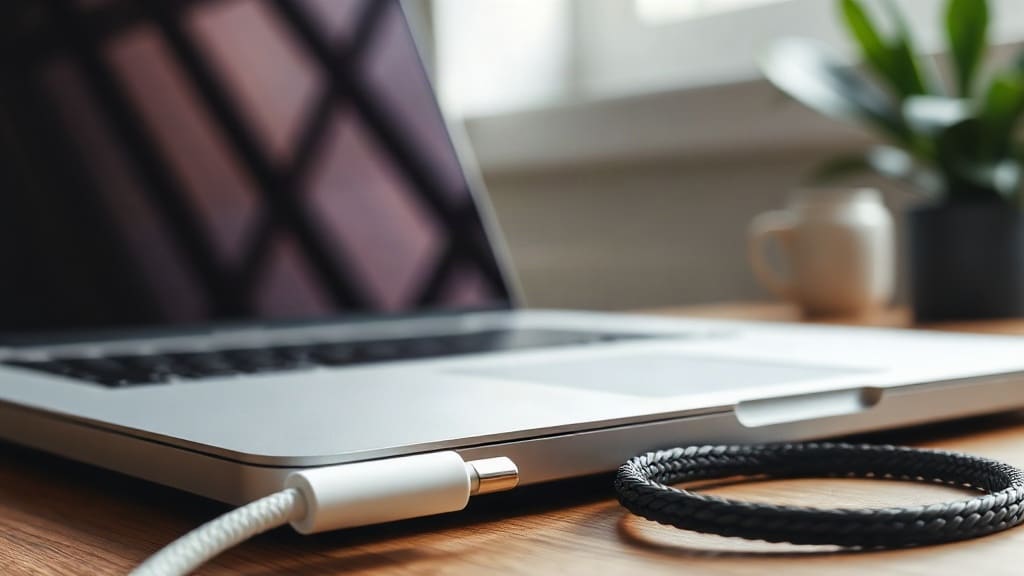
If you own a modern MacBook, you might have noticed two different ways to plug in power: the traditional USB-C port and the magnetically attached MagSafe connector. Both can charge your laptop, but they are not interchangeable in every situation. Choosing the right cable can affect how fast your battery fills, how safe your laptop is from accidental yanks, and how easily you can use accessories. This guide breaks down the key differences, real-world performance, and practical tips so you can decide which charging method fits your daily routine best.
The Return of MagSafe
Apple introduced MagSafe on the original MacBook Pro in 2006, and it quickly became a beloved feature. The magnetic connection meant that if someone tripped over the charging cable, the cable would detach instead of pulling the entire laptop off a desk. However, Apple phased out MagSafe in favor of USB-C starting in 2015, as part of a broader move toward a universal port standard. Many users missed the magnetic safety, and in 2021 Apple brought MagSafe back on the 14-inch and 16-inch MacBook Pro models, followed by the MacBook Air in 2022.
Modern MagSafe is not a simple rehash of the old design. It now supports faster charging on certain models, and the connector is slightly different. Importantly, you can still charge your MacBook via USB-C if you prefer, because those ports remain fully functional for power delivery. This dual compatibility gives users more flexibility than ever before.
Charging Speed: Does MagSafe Really Outpace USB-C?
One of the most common questions is whether MagSafe charges faster than USB-C. The answer depends on your MacBook model and the power adapter you use. On the 16-inch MacBook Pro, Apple includes a 140W USB-C power adapter that connects to the MagSafe cable. This setup can deliver the full 140W, which is necessary to fast-charge the larger battery. If you tried to charge the same laptop via USB-C, you would be limited to 100W because the USB-C ports on that model support a maximum of 100W power delivery. In this case, MagSafe is clearly faster for the 16-inch MacBook Pro.
For the 14-inch MacBook Pro, the included power adapter is either 67W or 96W depending on the configuration. Both MagSafe and USB-C can handle those wattages, so charging speed is essentially identical. The MacBook Air ships with a 30W, 35W, or 67W adapter, and again, both MagSafe and USB-C deliver the same speed because none of those exceed the USB-C limit. So unless you own a 16-inch MacBook Pro and need maximum wattage, you likely won't notice a speed difference.
Safety and Durability: The Magnetic Advantage
MagSafe's primary benefit remains safety. The magnetic connection breaks away cleanly if someone trips on the cable or if the laptop is suddenly moved. This prevents accidental drops and port damage. USB-C connectors, while sturdy, do not have this breakaway feature. A strong pull on a USB-C cable can yank the laptop or damage the port over time. Many users who work in busy environments, have children or pets, or frequently move their laptops appreciate the peace of mind MagSafe provides.
Durability is another factor. MagSafe cables have a braided design on newer models, which resists fraying better than older rubber cables. USB-C cables from Apple are also braided in recent versions, but third-party USB-C cables vary in quality. The MagSafe connector itself uses pins that can get dirty, but a quick wipe with a dry cloth usually fixes any connection issues. USB-C ports can accumulate lint and debris, but they are generally easy to clean with a soft brush.
Convenience and Port Flexibility
USB-C has a massive convenience advantage: it is a universal standard. You can use the same cable to charge your MacBook, iPad, iPhone (with USB-C), external drives, monitors, and many other devices. When traveling, you might only need one cable and one power adapter for everything. MagSafe, on the other hand, is proprietary to Apple laptops. If you lose or forget your MagSafe cable, you cannot easily borrow one from a friend who uses a Windows laptop or an older MacBook.
However, MagSafe frees up a USB-C port. On a MacBook Pro with only three USB-C ports, using MagSafe for power means you have all three ports available for data, displays, and accessories. If you charge via USB-C, one port is occupied, leaving only two. For users who connect multiple peripherals, this can be a significant advantage. Some people also find the magnetic alignment of MagSafe easier to connect in the dark or without looking, as the cable snaps into place automatically.
Real-World Scenarios: Which Should You Choose?
Your choice depends heavily on how you use your MacBook. If you work at a desk most of the time, with a laptop stand and external monitor, USB-C charging might be more convenient because you can use a single cable for power, video, and data through a dock. Many USB-C docks and monitors can deliver up to 100W of power, which is enough for all MacBook Air and 14-inch MacBook Pro models. This reduces cable clutter and simplifies your setup.
If you often move around with your laptop, work in cafes, or have people passing by, MagSafe's magnetic safety is invaluable. The quick disconnect can prevent a costly accident. Additionally, if you own a 16-inch MacBook Pro and want the fastest possible charging, MagSafe is the only way to get the full 140W. For most other users, the speed difference is negligible, so the decision comes down to safety versus universal compatibility.
Another consideration is battery health. Some users worry that fast charging via MagSafe might degrade the battery faster. In reality, modern MacBooks have intelligent battery management that regulates charging speed and temperature regardless of the connection type. Using MagSafe at 140W will not harm the battery more than using USB-C at 100W, because the laptop's power management system controls the charging curve. You can safely use either method without worrying about long-term damage.
Compatibility and Adapters
It is important to note that not all USB-C cables and adapters are created equal. To charge your MacBook properly, you need a USB-C cable that supports Power Delivery (PD) and can handle the wattage of your adapter. Cheap cables may only support 60W or less, resulting in slower charging or even no charging at all. Apple's own USB-C charge cable is rated for 100W, which is sufficient for all MacBook Air and 14-inch MacBook Pro models. For the 16-inch MacBook Pro, Apple's MagSafe cable is required for 140W, but you can still charge at 100W via USB-C using a 100W-rated cable and adapter.
MagSafe cables are available in two versions: one for the MacBook Air and 14-inch MacBook Pro, and a different one for the 16-inch MacBook Pro (which supports 140W). The connectors look similar but are not interchangeable for full-speed charging. The 140W MagSafe cable has a slightly thicker design and is labeled accordingly. If you buy a replacement, make sure you get the correct version for your laptop.
Travel and Cable Management
When traveling, the choice between MagSafe and USB-C can affect your packing list. If you carry a USB-C charger and cable, you can also use them for your phone, tablet, and other devices. This reduces the number of items in your bag. MagSafe requires a separate cable, but it is lightweight and doesn't add much bulk. However, if you lose your MagSafe cable on a trip, finding a replacement in a local store might be difficult, whereas USB-C cables are sold almost everywhere.
Some users adopt a hybrid approach: they keep a MagSafe cable at their desk for daily charging and carry a USB-C cable in their bag for travel and emergencies. This way, they get the safety and port-freeing benefits of MagSafe at home, while retaining the universal compatibility of USB-C on the road. It is a practical solution that many MacBook owners find works well.
Should You Use Both?
There is no rule that says you must choose one over the other. In fact, using both can be the smartest strategy. Charge with MagSafe when you are at your desk or in a risky environment, and use USB-C when you need to connect to a dock, external display, or when you want to minimize cables while traveling. The MacBook's power management system automatically switches between power sources without any user intervention, so you can plug in whichever is most convenient at the moment.
One caveat: do not connect both MagSafe and USB-C power at the same time. The MacBook will only draw power from one source, typically the one that provides the highest wattage, but having two cables connected can cause confusion and unnecessary wear. It is best to use one at a time.
Final Verdict
After using both methods extensively, the choice boils down to your priorities. Choose MagSafe if you value safety, want to free up a USB-C port, or own a 16-inch MacBook Pro and need full-speed charging. The magnetic connection is a lifesaver in busy households and workspaces, and the braided cable feels durable. Choose USB-C if you prefer a universal cable, use a dock or monitor for charging, or travel frequently and want to carry fewer items. USB-C is also the only option if you need to charge from a power bank that doesn't have a MagSafe connector.
In the end, both methods are reliable and safe for your battery. Apple has designed the MacBook to work seamlessly with either, so you can experiment and find what works best for your lifestyle. Many users are happy to have the choice, and using both in different situations is perfectly valid.
Frequently Asked Questions
Can I charge my MacBook with any USB-C cable?
No, you need a USB-C cable that supports Power Delivery (PD) and can handle the wattage of your charger. A cable rated for 100W is safe for most MacBooks. Using a low-quality or under-rated cable may result in slow charging or no charging at all.
Does MagSafe charge faster than USB-C on all MacBooks?
No, only on the 16-inch MacBook Pro, where MagSafe supports up to 140W while USB-C is limited to 100W. On MacBook Air and 14-inch MacBook Pro, both methods deliver the same charging speed because the adapters do not exceed 100W.
Is it safe to leave my MacBook plugged in all the time with MagSafe?
Yes, modern MacBooks have optimized battery charging that learns your routine and limits the battery to 80% until you need it. Leaving it plugged in with MagSafe or USB-C is safe and will not harm the battery.
Can I use a MagSafe cable with a USB-C power adapter?
Yes, the MagSafe cable has a USB-C connector on the other end, so it plugs into any USB-C power adapter. Just make sure the adapter provides enough wattage for your MacBook model.
Why does my MacBook not charge when I plug in USB-C?
Check the cable and adapter wattage, ensure the cable supports Power Delivery, and try a different port. Also, make sure the USB-C port is clean and free of debris. If it still doesn't charge, try a known-good cable and adapter.